A till that knows your regulars
Ring up a sale in seconds, attach it to a phone number, and watch first-time customers turn into regulars. Till, stock, promotions, chats and reports in one system that carries your shop's brand.
Get in touch to discuss
Built for shops that have outgrown the cash register
Several branches
- One menu and price list everywhere
- A till and a shift per branch
- Numbers per branch or all together
A menu that keeps changing
- Seasonal drinks, cakes made to order
- Stock counted where it matters
- Promotions with a start and an end date
Which step costs your team the most? Start there.
Rate each step. The ones that hurt most go first in your rollout.
Bring your ratings to the workshop. They set the order of the rollout.
Every sale in seconds, every customer remembered
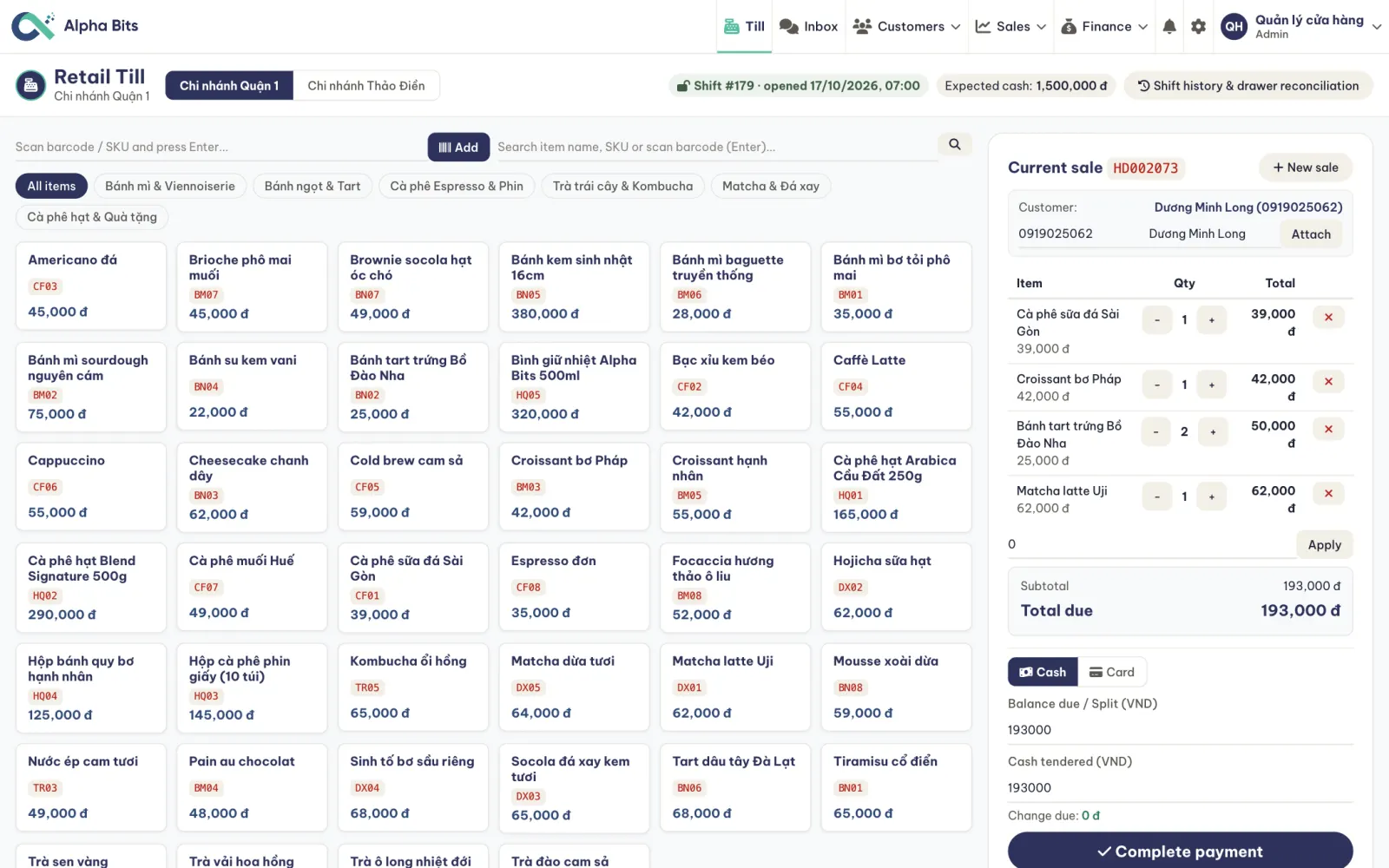
- Tap or scan
Item grid by category, search, or a barcode scanner
- The cart
Quantities and line totals, easy to change before paying
- Customer by phone
Type a number to attach the sale, or leave it as walk-in
- Discounts
On the bill, from the promotions running today
- Cash, card, transfer
Change worked out for you; a VietQR transfer settles when the bank confirms it
- Receipt
One for every sale, with its invoice code
- Voids by permission
Only staff allowed to void can do it, and the invoice keeps the record
- Shifts and the drawer
Open a shift, see the cash expected, reconcile the drawer at close
Your menu and your stock in one list
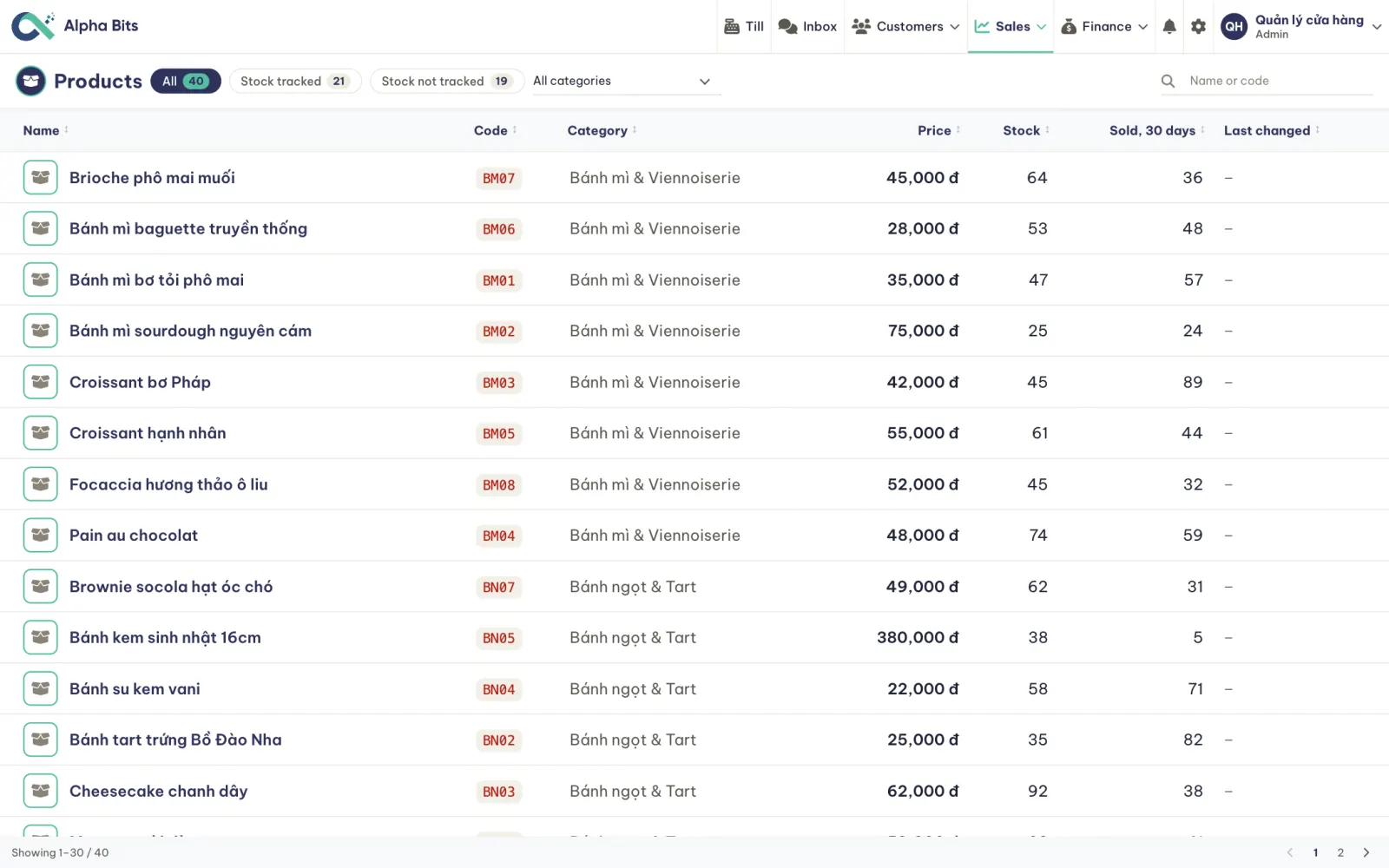
- Items by category
Bread, cakes, coffee, tea: a code and a price for each
- Stock where it counts
Track the items you count and leave the rest untracked
- Low stock in view
The overview lists what is running out
- What sells
Units sold in the last 30 days, item by item
Promotions with an end date and a bill you can read
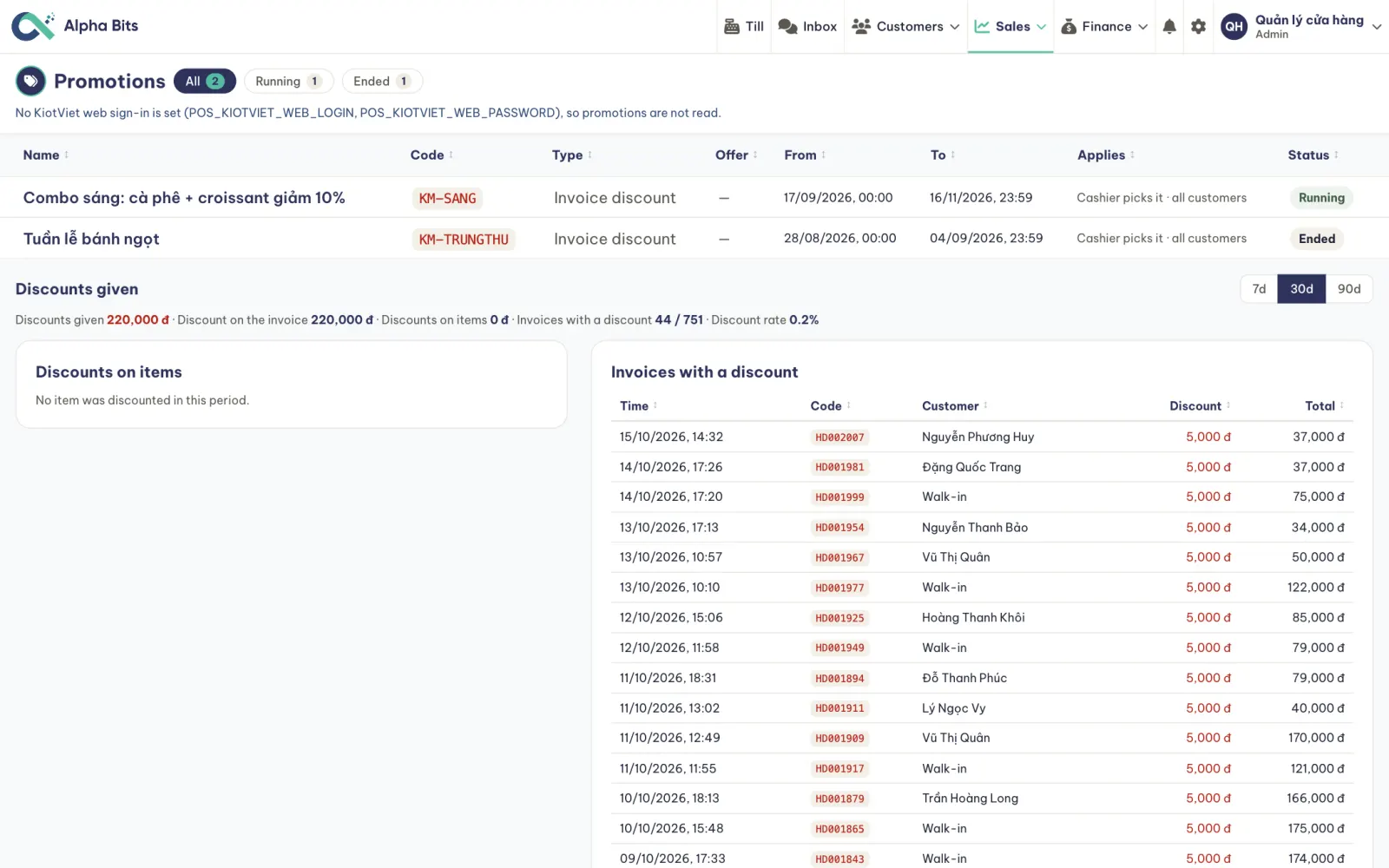
- Runs on its own dates
It starts and stops by itself, so nobody forgets to switch it off
- Applied at the till
The cashier picks it and the invoice shows the discount
- See what it cost
Total discount given and how many invoices used it
One phone number at the till and you know the customer
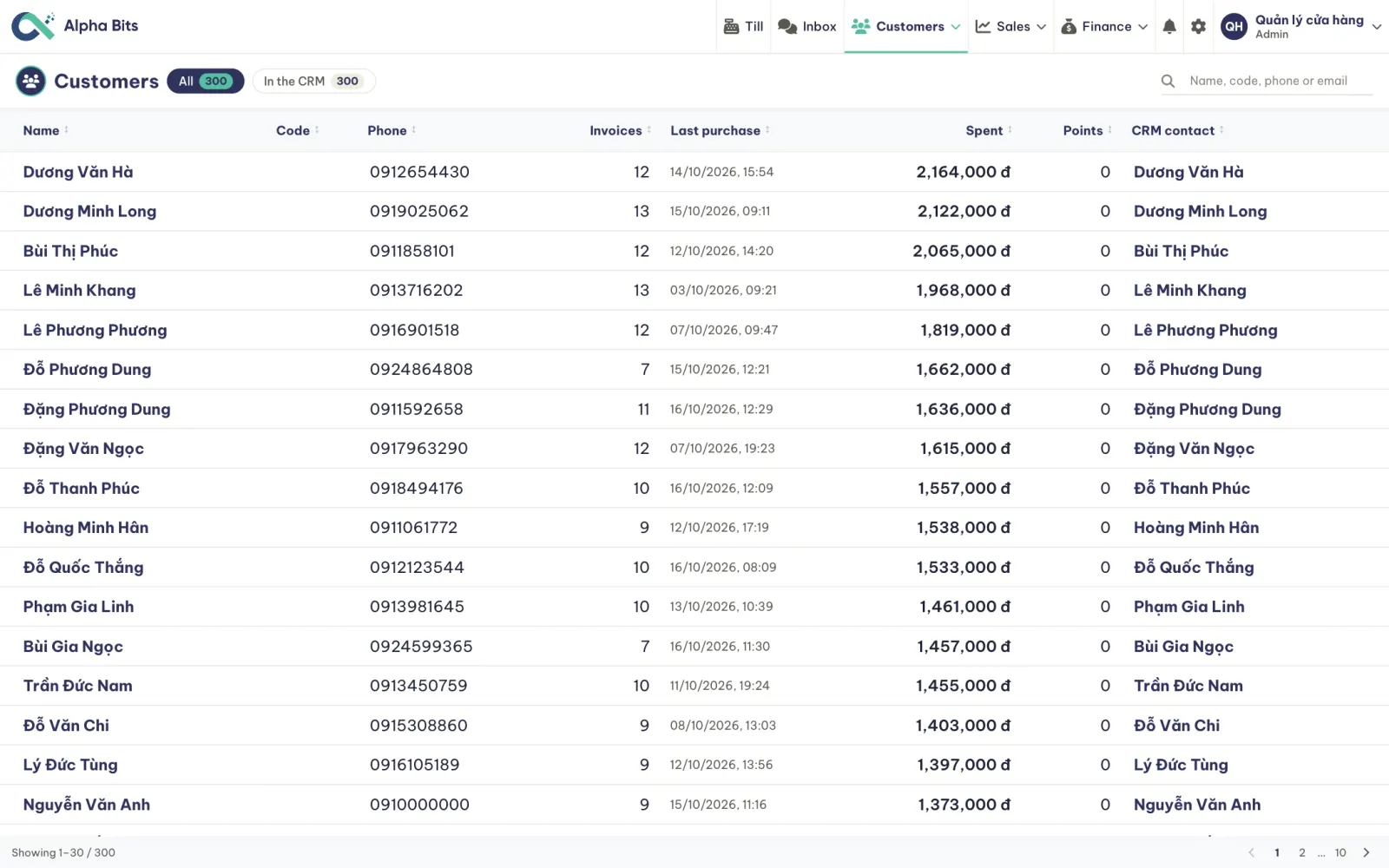
- 01A phone number at the till
The cashier types it in: a few seconds
- 02A customer record
Created the first time, found every time after
- 03Every visit counted
Invoices, total spent, last purchase
- 04Linked to the CRM
The same person in the inbox, the pipeline and your emails
See who comes back and who is drifting away
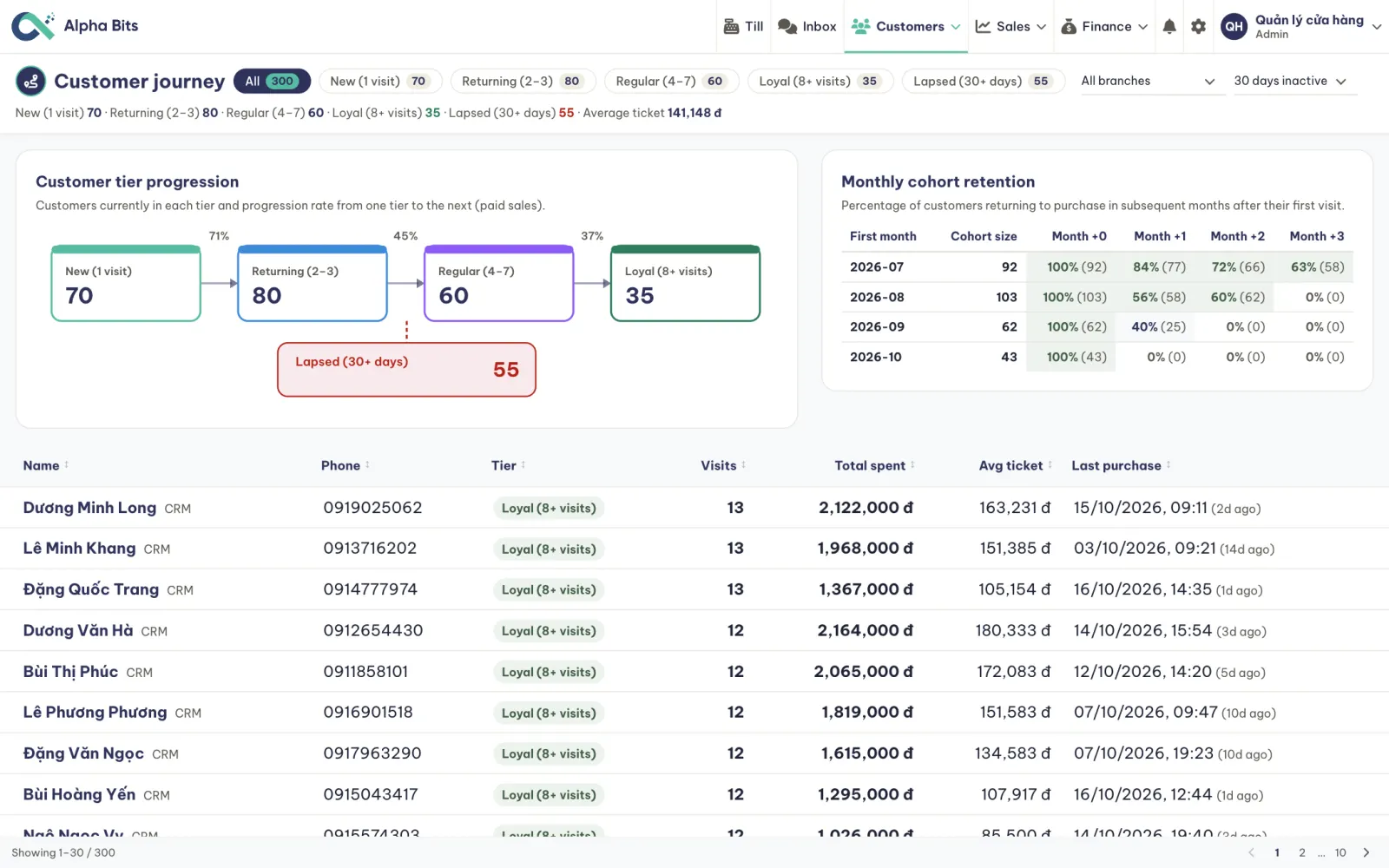
- Five tiers, one flow
How many go from a first visit to returning, regular and loyal, and the share that makes each step
- Monthly cohorts
Of the customers who first bought in a month, how many came back in each month after
- The lapsed list
Who hasn't been back in 30 days, with their phone and what they used to spend
- Win them back
A group email to one tier at one branch
Cake orders from Zalo and Facebook in one inbox
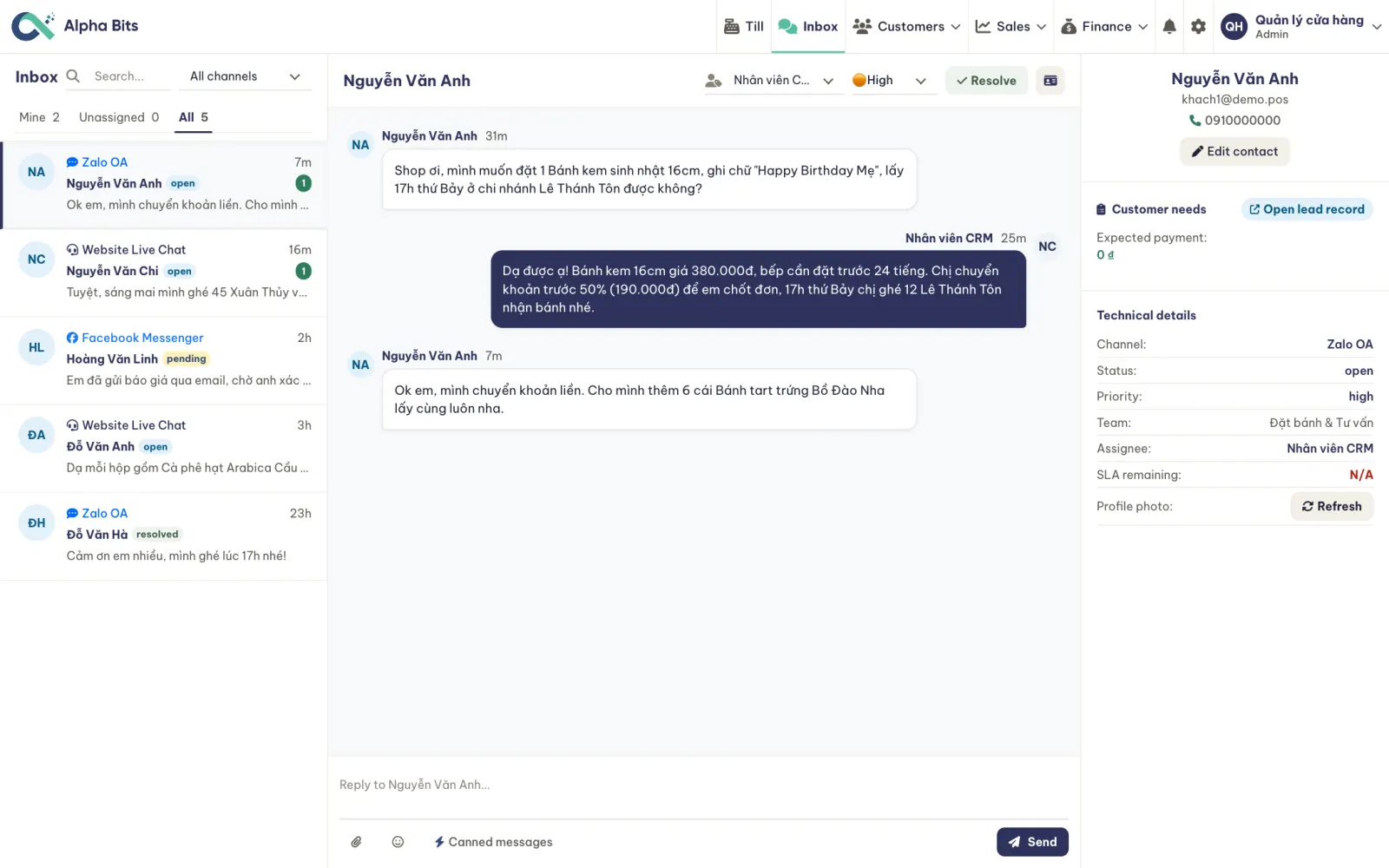
- Every channel together
Zalo OA, Messenger, Telegram and chat on your website
- Saved replies
Prices, deposits and pickup times without retyping them
- One click to a lead
Note what they want, when, and the deposit
- Clear ownership
Who answers, how urgent it is, when the reply is due
Every sale on record, by cashier and branch
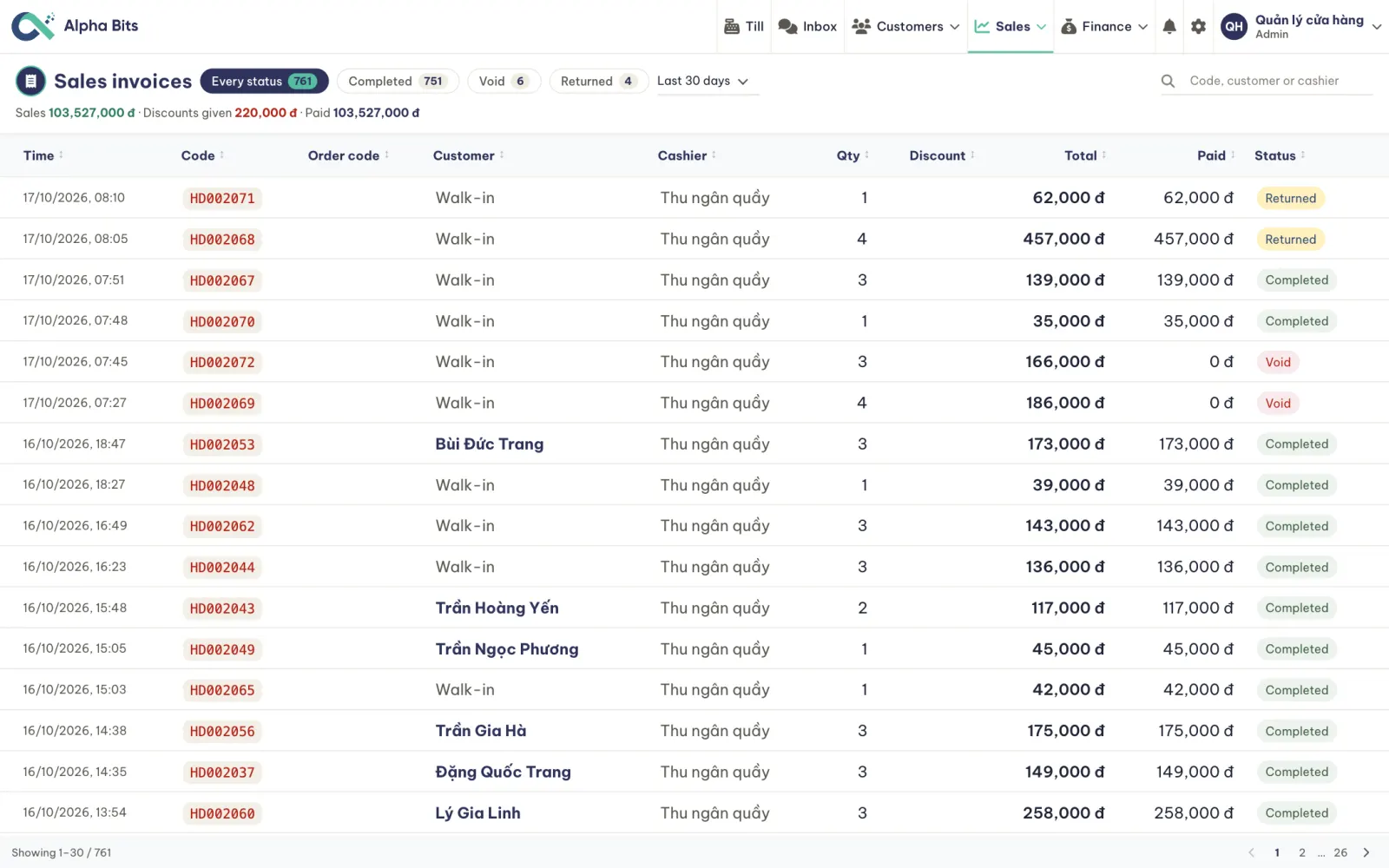
Time, items, customer, cashier, total
Marked as such, never deleted
Cash expected against cash in the drawer
By status, date, customer or code
Owners see the numbers, staff see the till
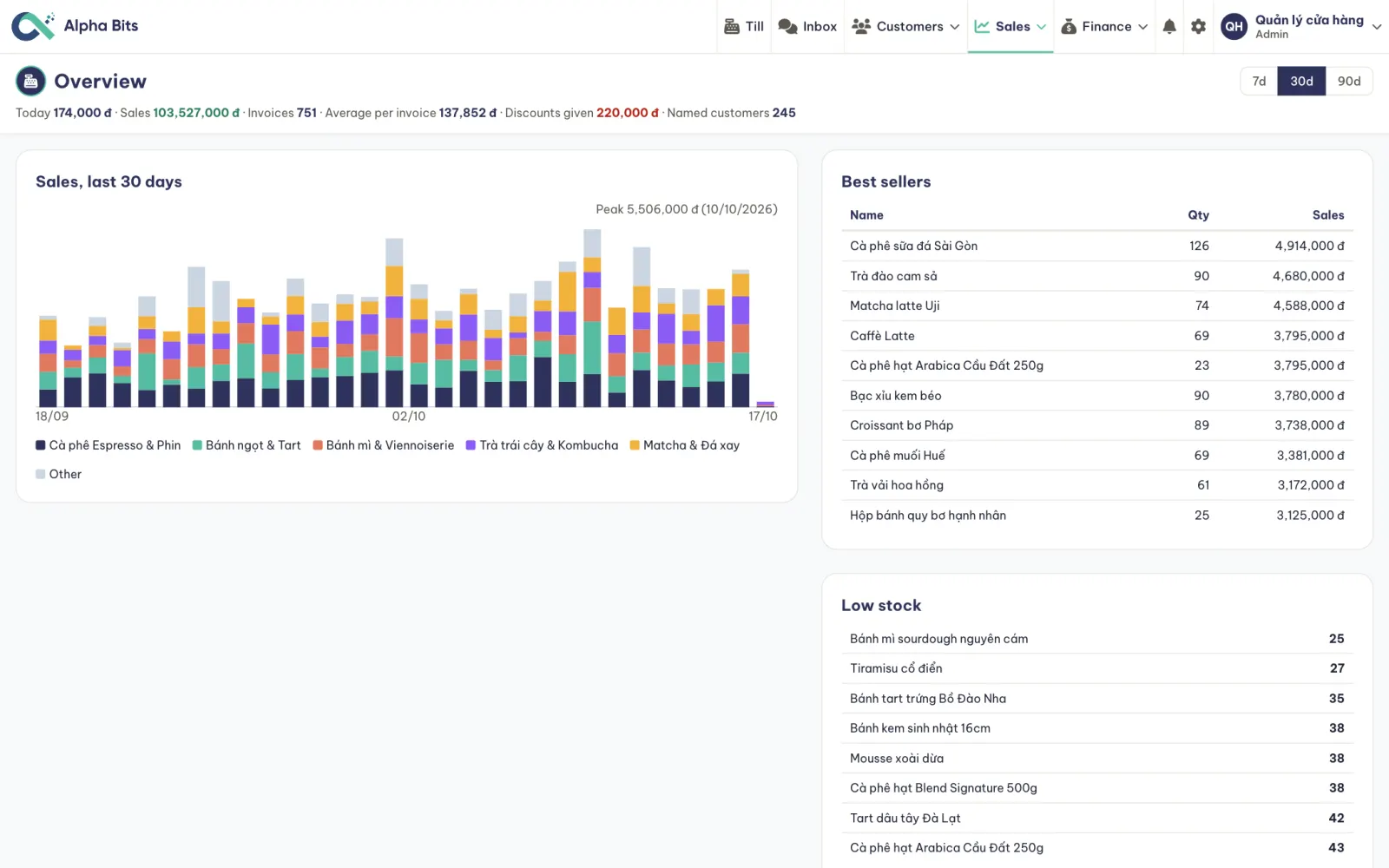
Revenue by category, best sellers and low stock, over 7, 30 or 90 days
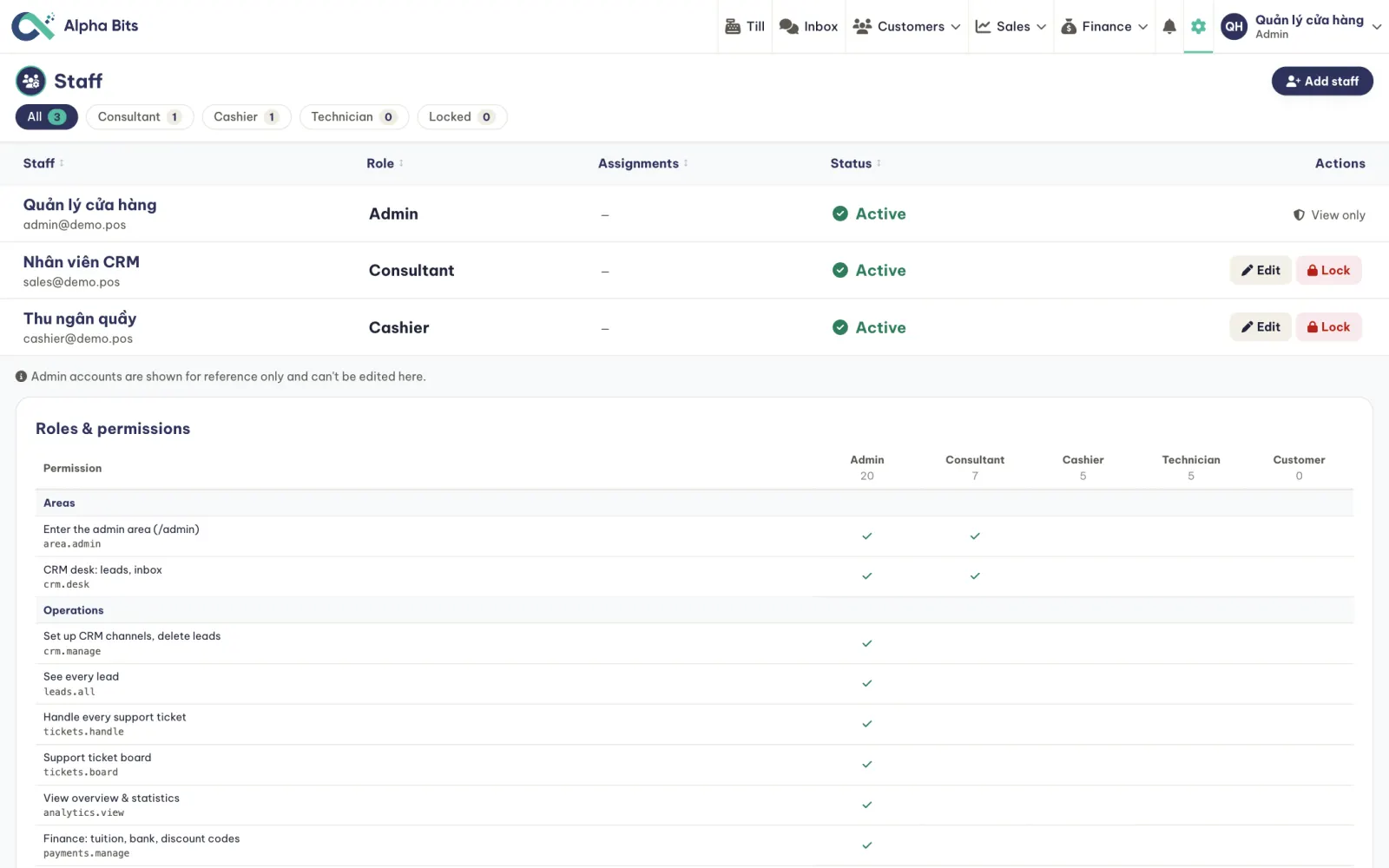
Admin, cashier and sales staff each see what their job needs
What's ready today, what we build for your shop
- Till with barcode and shifts
- Customers by phone number
- Tiers and monthly cohorts
- Promotions with dates
- Stock and the low-stock list
- Multi-channel inbox
- Sales reports by branch
- Roles and permissions
- Your menu, prices and categories
- Your branches, tills and staff
- Your promotions
- Your domain and brand
- Your history from KiotViet, if you use it
Done with your team during the rollout.
- Loyalty points and rewards
- Zalo ZNS messages after a visit
- Kitchen and bar ticket screen
- E-invoices
- Online ordering page
- Delivery app orders
The last column is an example. Your answers to the survey decide what goes in it.
Your system, your data
- Your domain and brand
Staff and customers see your shop, never the vendor
- 100% of the data is yours
It runs on your own cloud and you keep full control
- No per-till fees
A fixed software cost, however many tills and branches you add
- 400+ automated tests
They ship with the system and keep it stable as features are added
One step at a time, starting where it hurts most
The till and the menu
- Menu, prices, branches, staff
- Till, shifts, receipts
- Customers by phone number
Customers and promotions
- Tiers and monthly cohorts
- Promotions with dates
- Inbox for chat orders
Whatever your shop needs
- Loyalty points, Zalo ZNS
- E-invoices
- Kitchen tickets, online ordering
The order of the phases follows the ratings from your self-check.
Clear costs, starting with a survey
Menu and data import, till setup, training your team
Fixed, never charged per till or per sale
Per item, agreed after the workshop
A detailed quote follows once the first phase is agreed.
Get in touch to discuss
Alpha Bits POS · pos-retail.alphabits.team · Made by Alpha Bits